
Start free. Upgrade only if it pays for itself.
Every new account gets Premium free for 90 days – no M-Pesa needed to start.
Our current plans and prices are on the pricing page in the app.
See the full comparison of every feature ▾
Prices in Kenya shillings, including VAT where it applies. Paid with M-Pesa – a prompt on your phone, or the paybill. Change or cancel any time.
Compare all plans
Every feature, what it gives you, and how much of it each plan includes.
If you have more than a plan includes, you keep everything – only adding more is paused.
On every plan
Monthly budget
Plan, record and close your months.
Net worth
Assets, loans and your statement of net worth.
Security
Two-step sign-in, auto-lock, hide amounts.
Your data
Download everything, any time, free.
How the trial and billing work
- 90 days of Premium for every new account – every feature, across three full budget months.
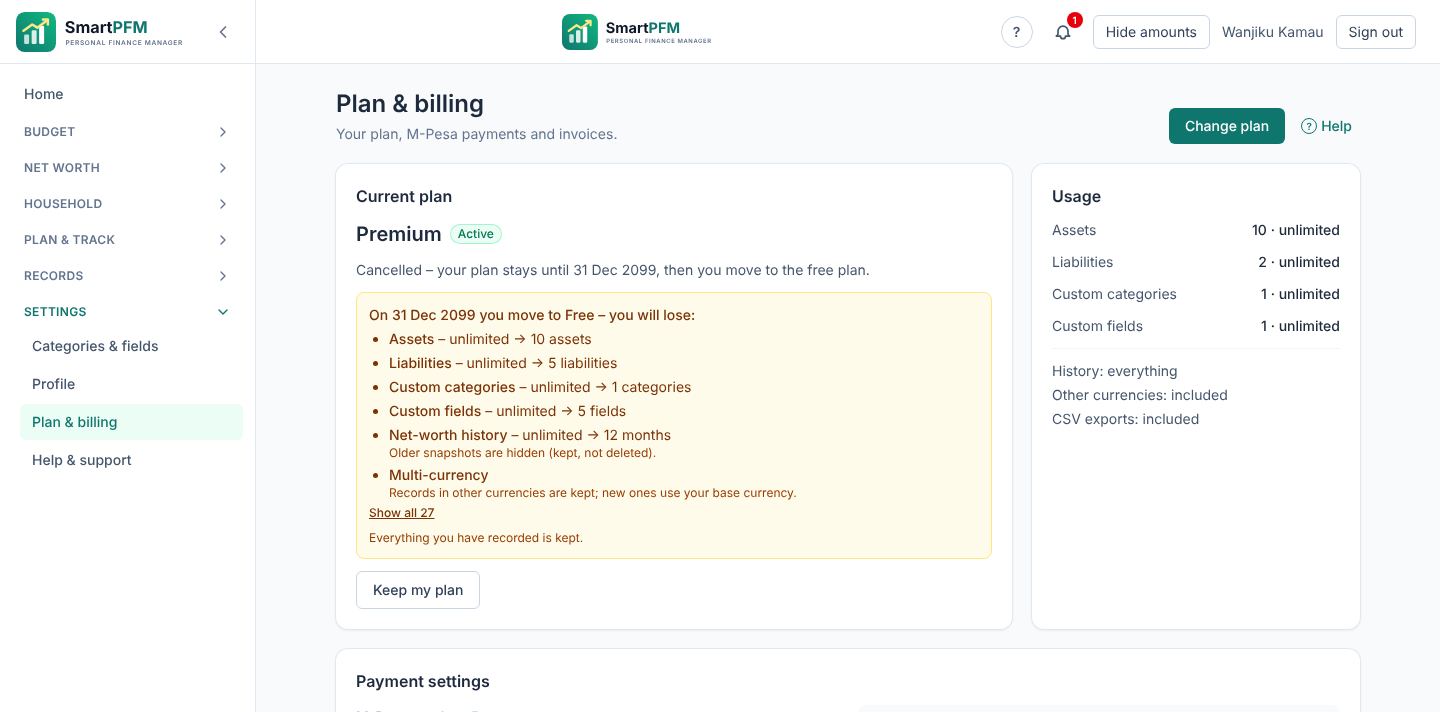
- We remind you 14, 3 and 1 days before the trial ends. Then you move to the Free plan unless you choose a paid one.
- Nothing you recorded is deleted when you move to a smaller plan. Before any move down, the app lists exactly what you would lose.
- Pay monthly, or yearly and save. A receipt and an invoice for every payment.
- Change plan or cancel from Settings → Plan & billing, whenever you like.
Give SmartPFM to your staff or members
We can issue a batch of single-use codes – a longer free trial or a discount – for you to hand out to your staff, members or customers, by email, SMS or payslip. Each code works once, for one account, and unused codes can be cancelled if a list leaks.
Your people keep their figures private: we can tell you how many codes were used – never anyone's figures.
Single-use codes
e.g. KUSCO-7KQ2-M9XD – easy to read, hard to guess
Counts only
How many were used – never anyone's figures
Pricing questions
Do I need to pay to start?
No. Sign up, confirm your email and use every Premium feature for 90 days. No M-Pesa payment, no card.
What happens when the trial ends?
You move to the Free plan. Your records are kept. If you have more assets or loans than the Free plan allows, they are kept; you just can't add more until you upgrade.
How do I pay?
With M-Pesa. Choose a plan in the app and approve the prompt on your phone, or pay through the paybill with the account number shown in Plan & billing.
Can I upgrade or downgrade later?
Yes. When you upgrade, the unused part of what you already paid is credited against the new plan. A downgrade or cancellation takes effect at the end of the period you paid for.
Can I get a refund?
We don't refund unused periods, but an overpayment becomes credit on your account or is refunded on request. The details are in our Terms of Service; contact us about any payment.