Everything your money does, in one place
Plan → do → review → improve. SmartPFM runs your month and keeps score of your wealth, in Kenya shillings by default and in other currencies when you need them.
Set it up once. Each month builds itself.
- Income and expense settings – monthly, quarterly, termly, twice a year, yearly, on chosen dates or one-off. Put the paybill, till or account number in the notes; it shows on every month's item.
- Next month is ready on the 15th, and the next 12 months can be previewed, so you see a lean month coming long before it arrives.
- Auto-Receive and Auto-Spend record salary, standing orders and deductions on their own.
- Income and expenses in other currencies (Premium): plan a USD retainer or a GBP fee in its own currency. The budget shows an estimate in shillings that follows the day's rate (or a rate you fix); when the money arrives you record the rate you actually got, and the effect of the exchange rate is shown separately from over- or under-spending.
- Link to dollar (or pound, euro) assets and loans: top up a USD money market fund from your shilling budget or repay a USD loan – the fund or loan is written in its own currency with the rate you got, and your budget stays in shillings. A dollar money market or unit trust fund can be bought, topped up, withdrawn from and sold through your budget the same way – the gain is shown in dollars and in shillings, with the part that came from the exchange rate.
- Pay an expense from a specific income – school fees from the bonus, the loan from the salary, the builder from the construction loan – on Premium every payment names its incomes, each within what it can still give; Free and Basic pay from the pool of available money. Never more than you have. Set several expenses to be paid from one income in one go, and let their settings follow for the months ahead. If an income isn't expected one month, its share moves to the incomes that are.
- Needs, wants and savings: see your 50/30/20-style split, variances against plan and where each income went.
- Emergency and unplanned spending is flagged, so a bad month is explained, not hidden.
- Move a date once, for good: when the landlord moves rent to the 5th, move this month's item and tick Also save to the setting – every later month follows.
- Close the month on the 3rd (or when you're ready): unpaid items can be deferred, and the surplus carries forward.
Pay or receive in two taps – with your notes in front of you
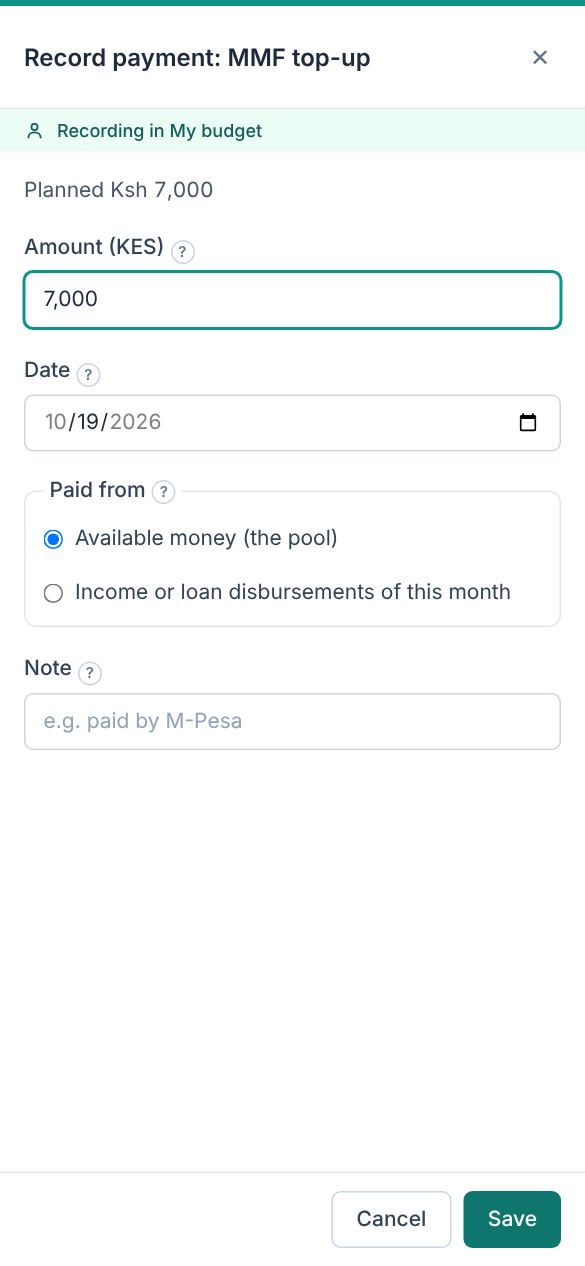
Tap Pay on an item, confirm the amount and date, and choose which income it came from. The paybill and account number you saved in the setting are right there.
Part-payments are fine: an item shows In progress until it is fully paid.
See the months ahead
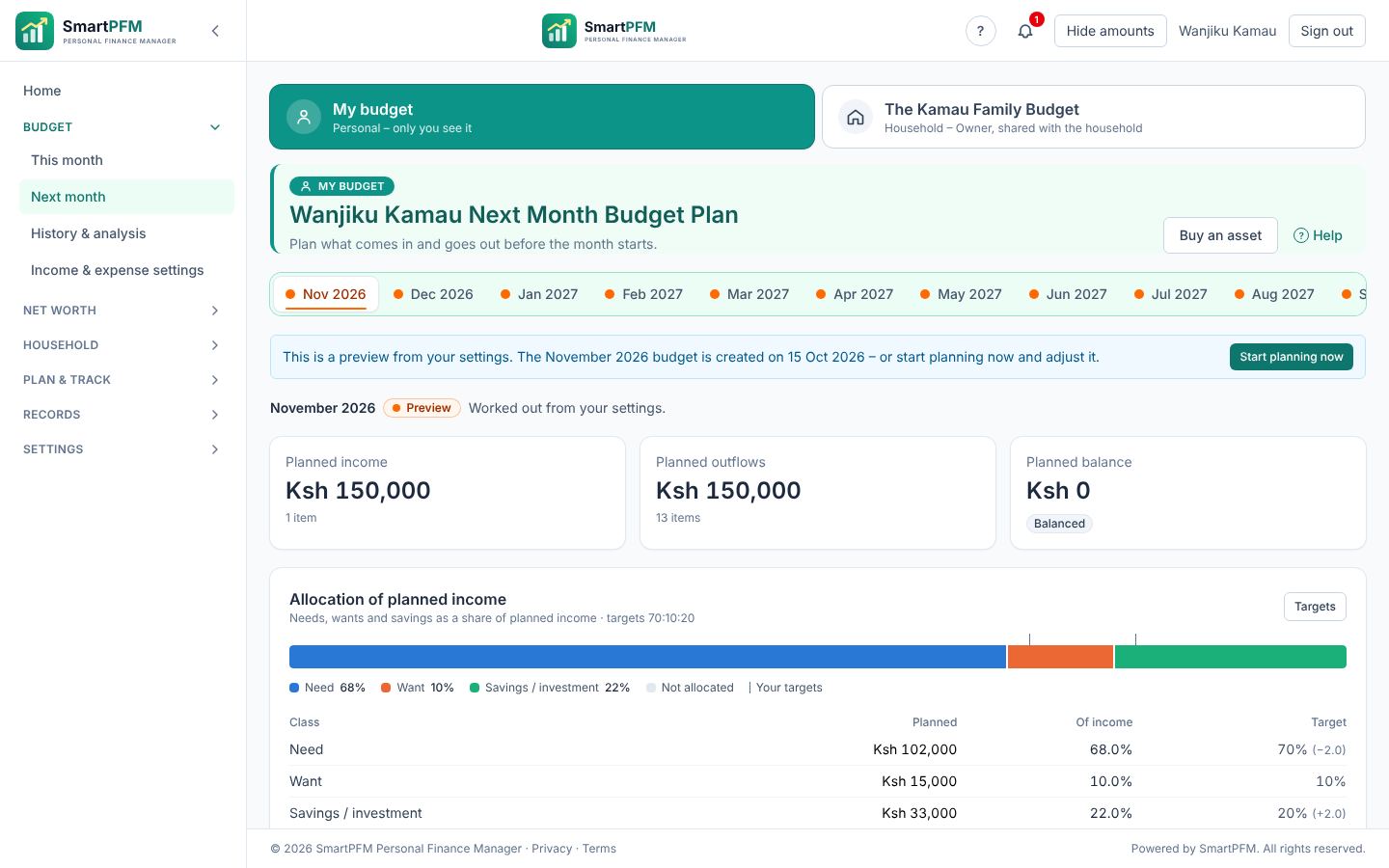
Next month shows the plan built from your settings: what comes in, what goes out, the planned balance and which expenses each income must cover. Spot a gap early and change the plan, not your stress level.
Know what you're worth – and what it's made of
- Every kind of asset: bank and M-Pesa balances, SACCO deposits and shares, MMFs and unit trusts, NSE shares, T-bills and bonds, land and buildings, vehicles, pensions, chama contributions and more.
- Every kind of debt: mortgages, car and asset finance, SACCO and bank loans, HELB, mobile loans, credit cards – with a repayment schedule and a what-if for paying extra. A loan paid out in parts (a mortgage for a house being built, a SACCO loan) tracks each disbursement; money it pays to you goes into your budget as a loan disbursement – to spend, not counted as income.
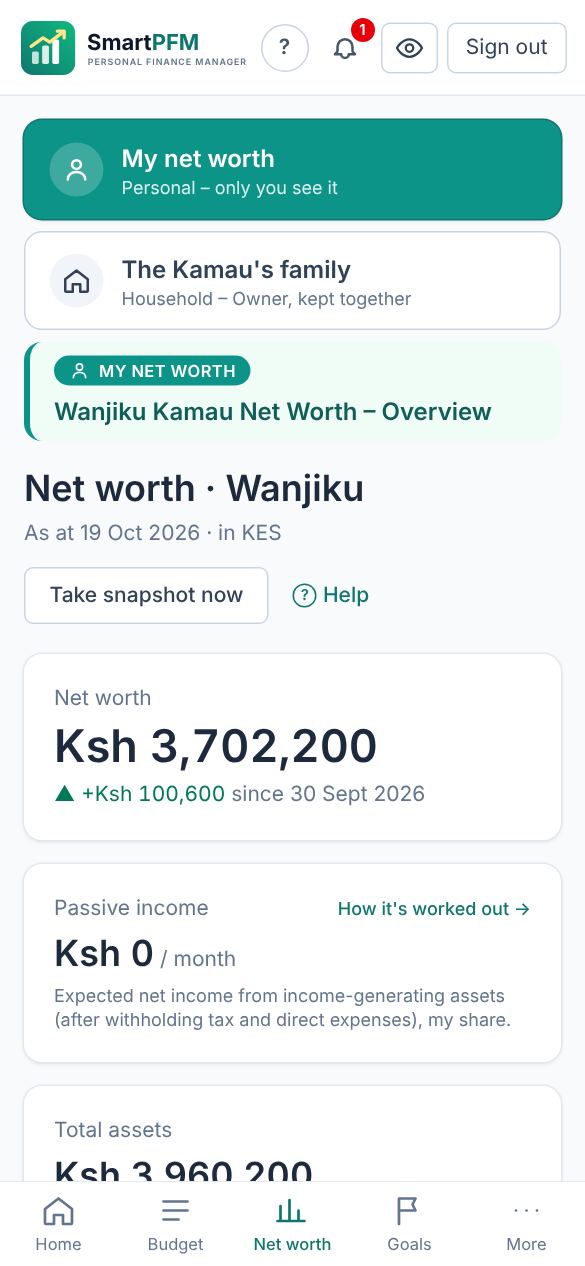
- Four numbers that matter: net worth, investable net worth (without your home and family car), liquid net worth, and the passive income your assets earn – click any of the last three to see the items behind it and how it is worked out.
- Analysis: everything you bought with your budget, sold or withdrew, by year – what you paid and still owe, each sale's gain or loss with its calculation, the loan paid off, the budget months it touched and its documents (sale agreements, contract notes).
- History: a snapshot at every month-end and a chart of the trend; valuations and payments are kept with their dates.
- Bonds and T-bills valued at principal plus interest accrued since the last coupon, with the next coupon dates – and the coupons (and the principal at maturity) added to your budget.
- Pick NSE shares and bonds from our lists: choose the market and the share (or the bond issue) and its details and latest price (VWAP) are filled in; on Premium, share values follow every new price. Announced dividends are added to your budget as expected income, after withholding tax.
- Pick your money market or unit trust fund from our list: type part of the fund, scheme or firm name and choose it from the funds licensed by the Capital Markets Authority – the name, manager, currency and latest published yield are filled in, and the asset page shows the fund's terms and how to reach the manager (website, customer care, mobile app). The asset page also shows the last published yield after tax (or unit price) with its change from the previous value, a trend graph and the history. It is information only: you record your own balance.
- Prices and rates: shares, unit trusts and MMFs can follow published prices; foreign-currency holdings use the Central Bank of Kenya's daily rates.
- Shared ownership: record your share of a jointly owned plot or loan.
- Selling: sell the way each asset is sold – shares and unit trusts by units, land whole or in part, a car or household items by price, bonds by face value with accrued interest, deposits and SACCO savings withdrawn or closed, a pension or policy paid out, money owed to you repaid – with costs, tax and the realised gain worked out, and a realised-gains report. The money goes into your budget (not counted as income), a linked loan can be paid off from it, and a buyer paying in parts shows as money owed to you.
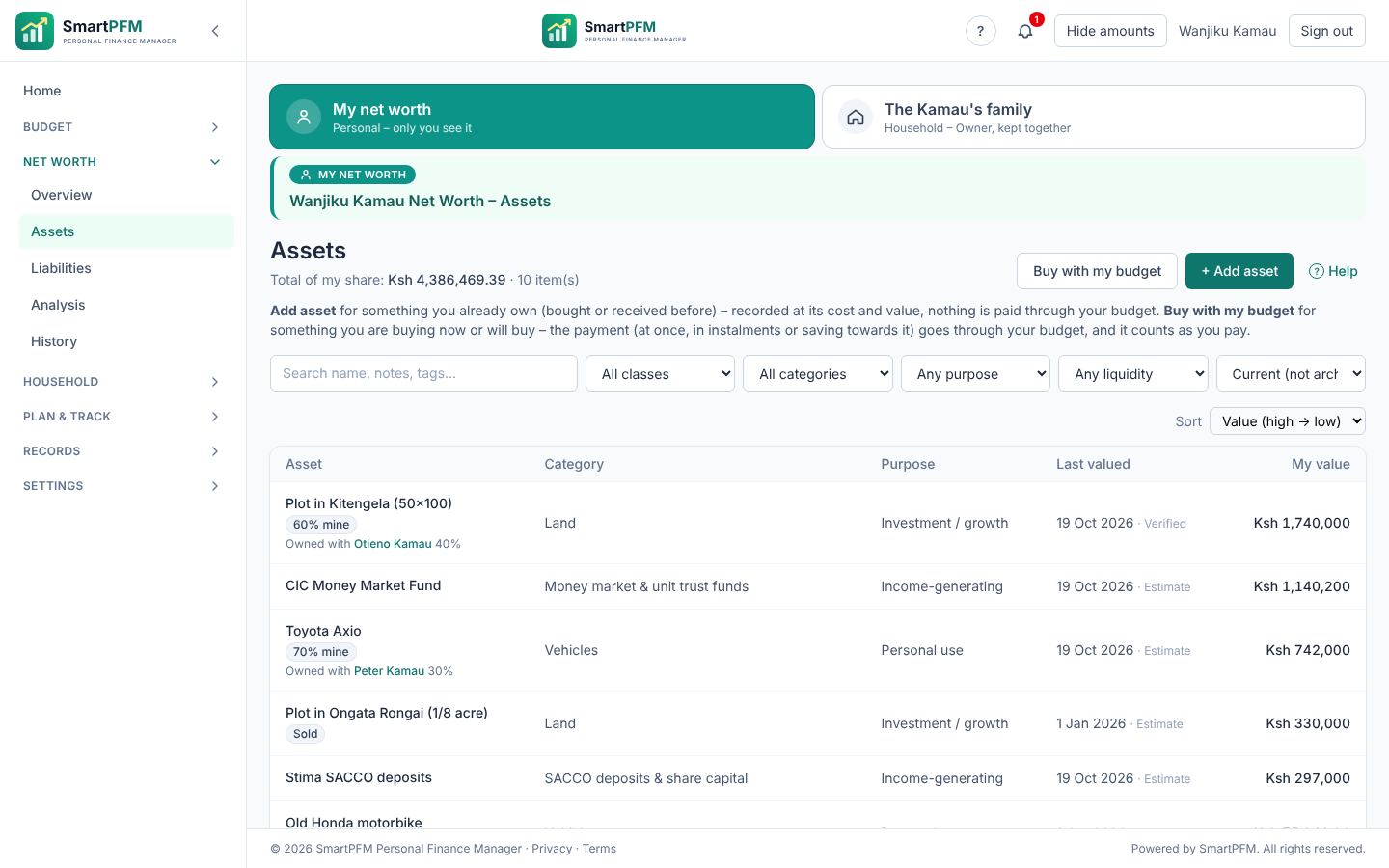
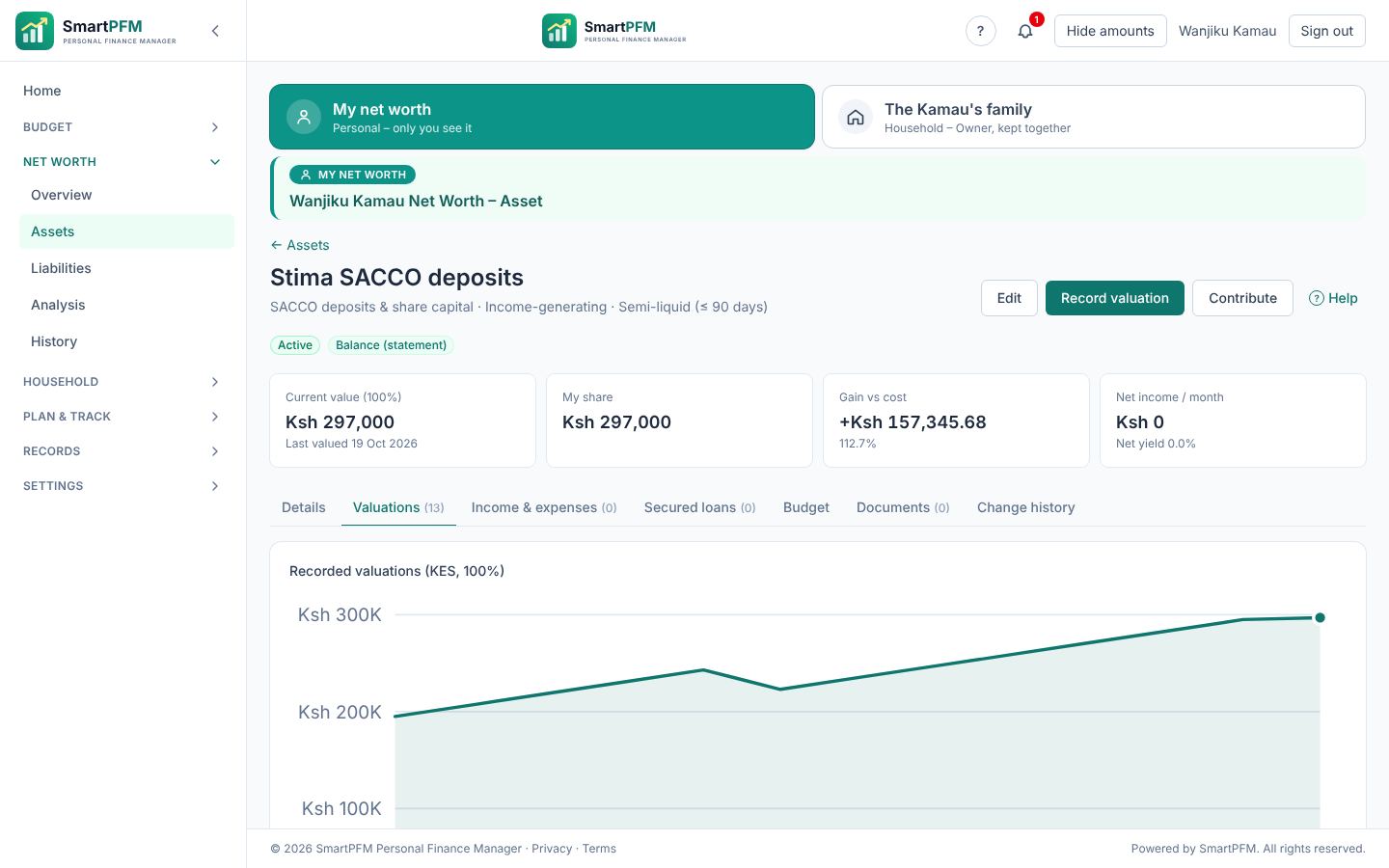
Every asset tells its own story
Each asset keeps its valuations, contributions, documents and change history. Here a SACCO deposit grows from Ksh 180,000 to Ksh 526,578 with monthly contributions and a yearly dividend.
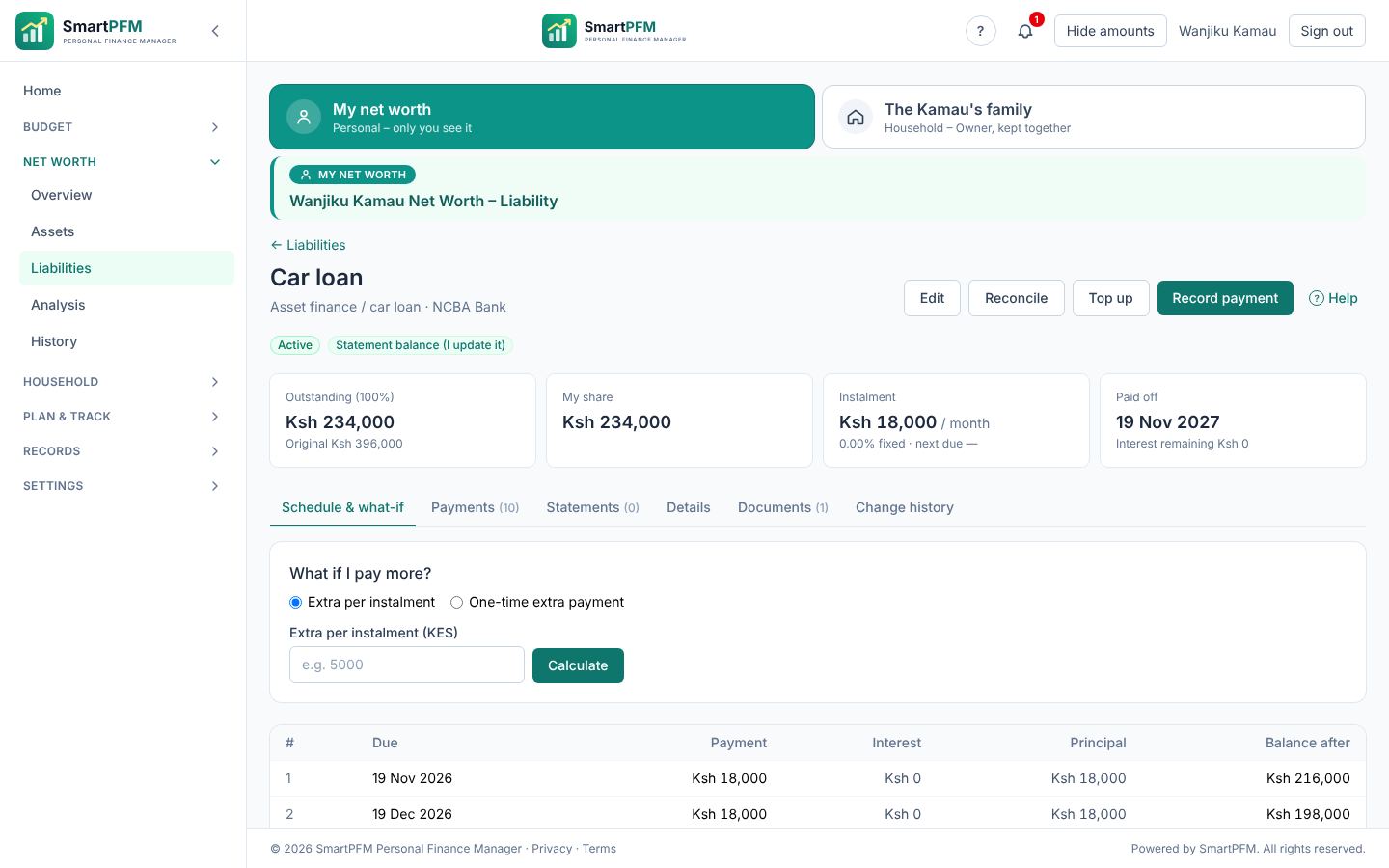
Loans with a plan to clear them
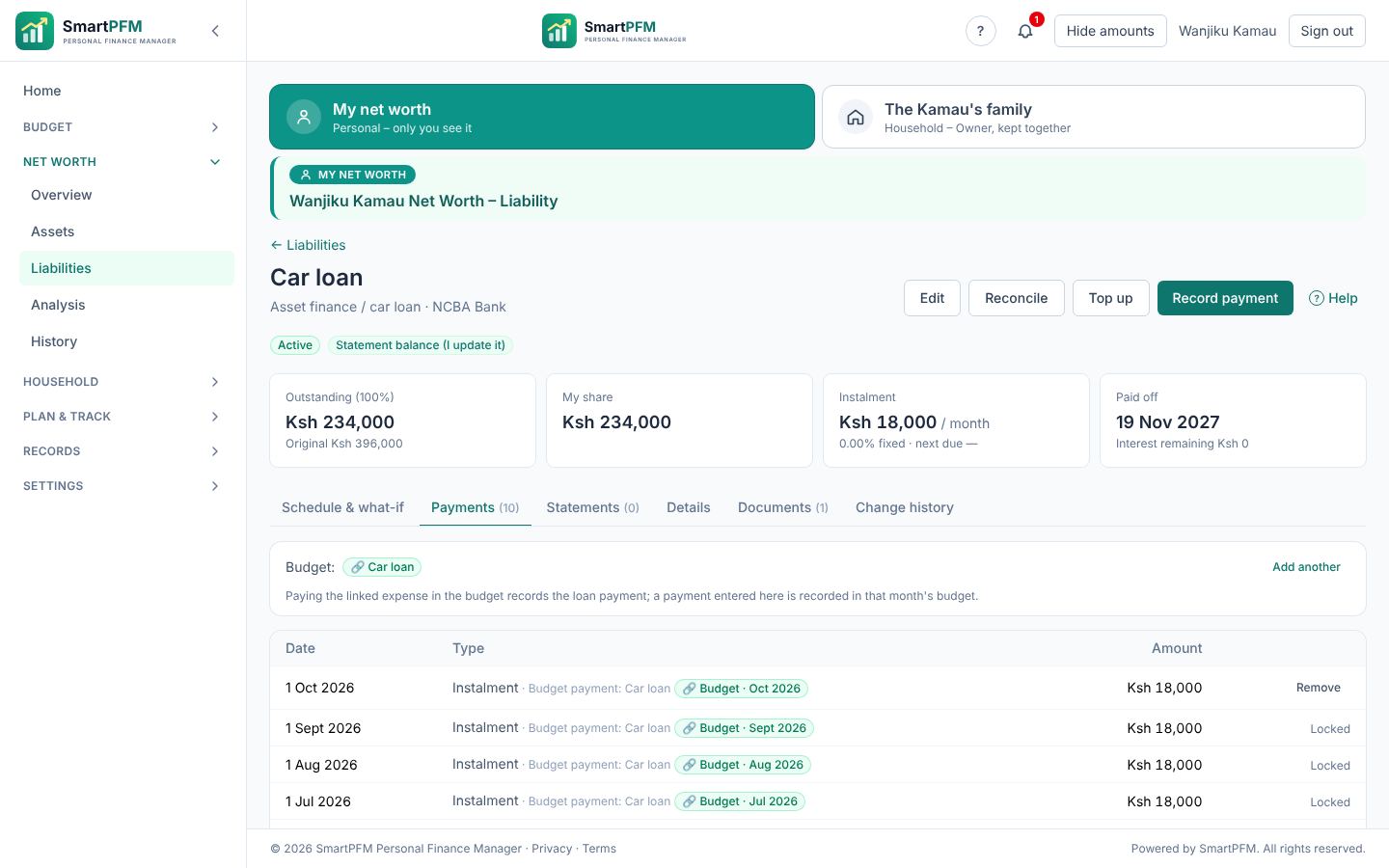
See the outstanding balance, the instalment, the payoff date and the interest still to pay. Try a what-if – an extra Ksh 10,000 a month, or a lump sum – and see how much sooner you are free.
Pay it once. Both sides update.
Link a budget item to a loan or an asset. When you pay the Car loan item, the payment is recorded on the loan. When you pay SACCO deposit, the SACCO's balance grows. When you withdraw from your MMF to the budget, the fund goes down as the money arrives. When you buy an asset – in full, in instalments or with a loan, shares on the market or an IPO, a bond on the primary or secondary market, a T-bill, a fund, a fixed deposit or SACCO contribution, with the cost worked out – and Buy more adds to what you hold – the budget and the net worth both know.
- Nothing is entered twice, and nothing is counted twice.
- Money taken from savings to pay for something isn't counted as income.
- The loan screen shows which payments came from which month's budget.
Aim for something. Never miss a date.
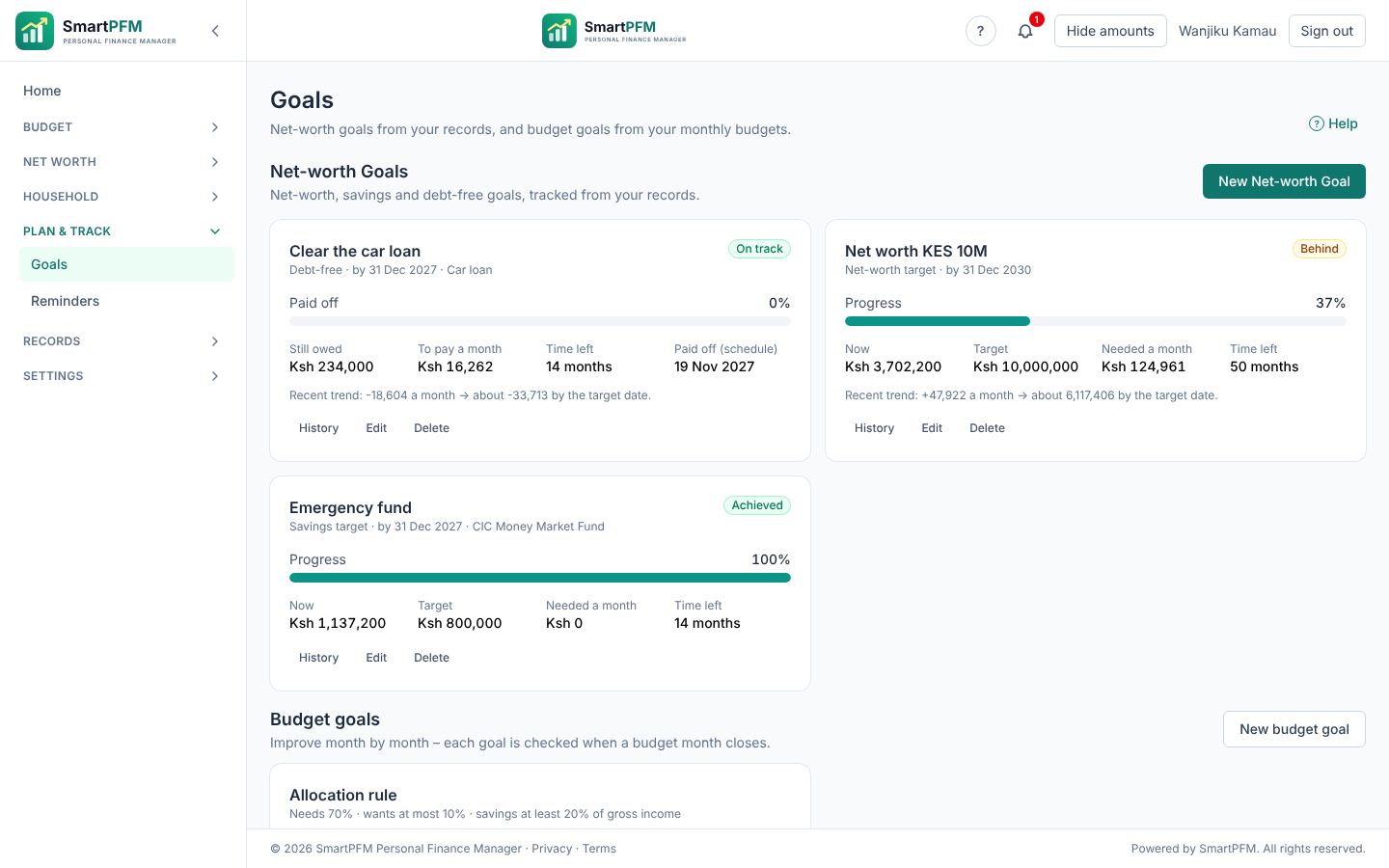
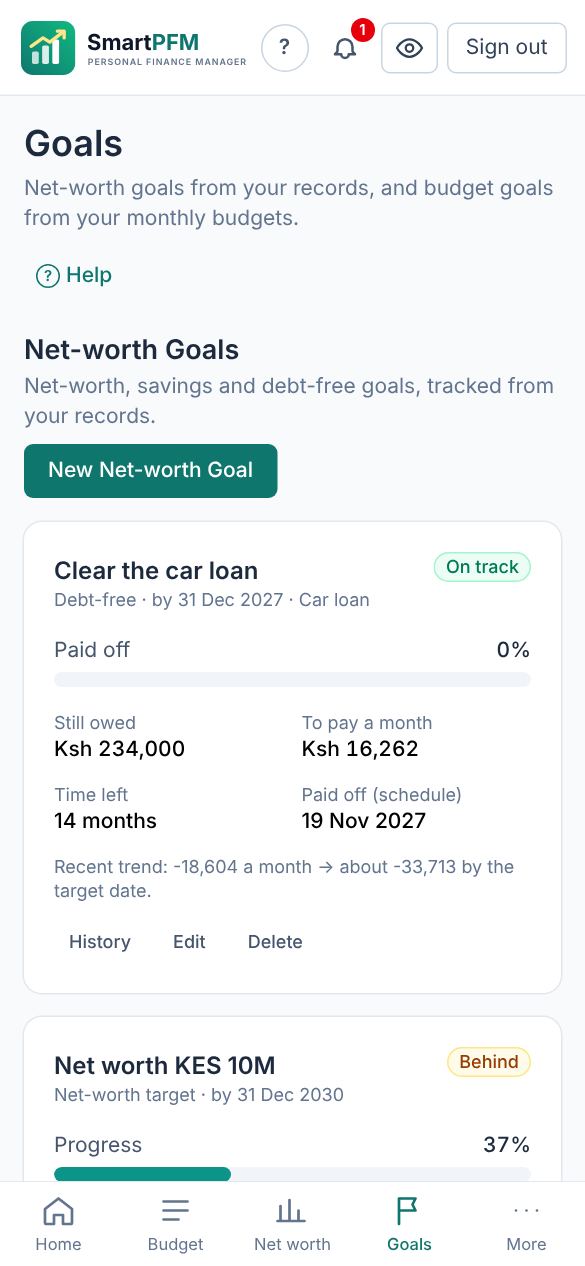
- Goals for an emergency fund, a deposit, a target net worth, clearing a loan or a budget habit – with progress tracked every month.
- Reminders before loan instalments, policy renewals and maturities, document expiry dates and valuations that need updating – in the app, by email or by SMS.
- Your own reminders for anything else: a chama meeting, a land rate, a KRA return.
The title deed is safe – and you can find it
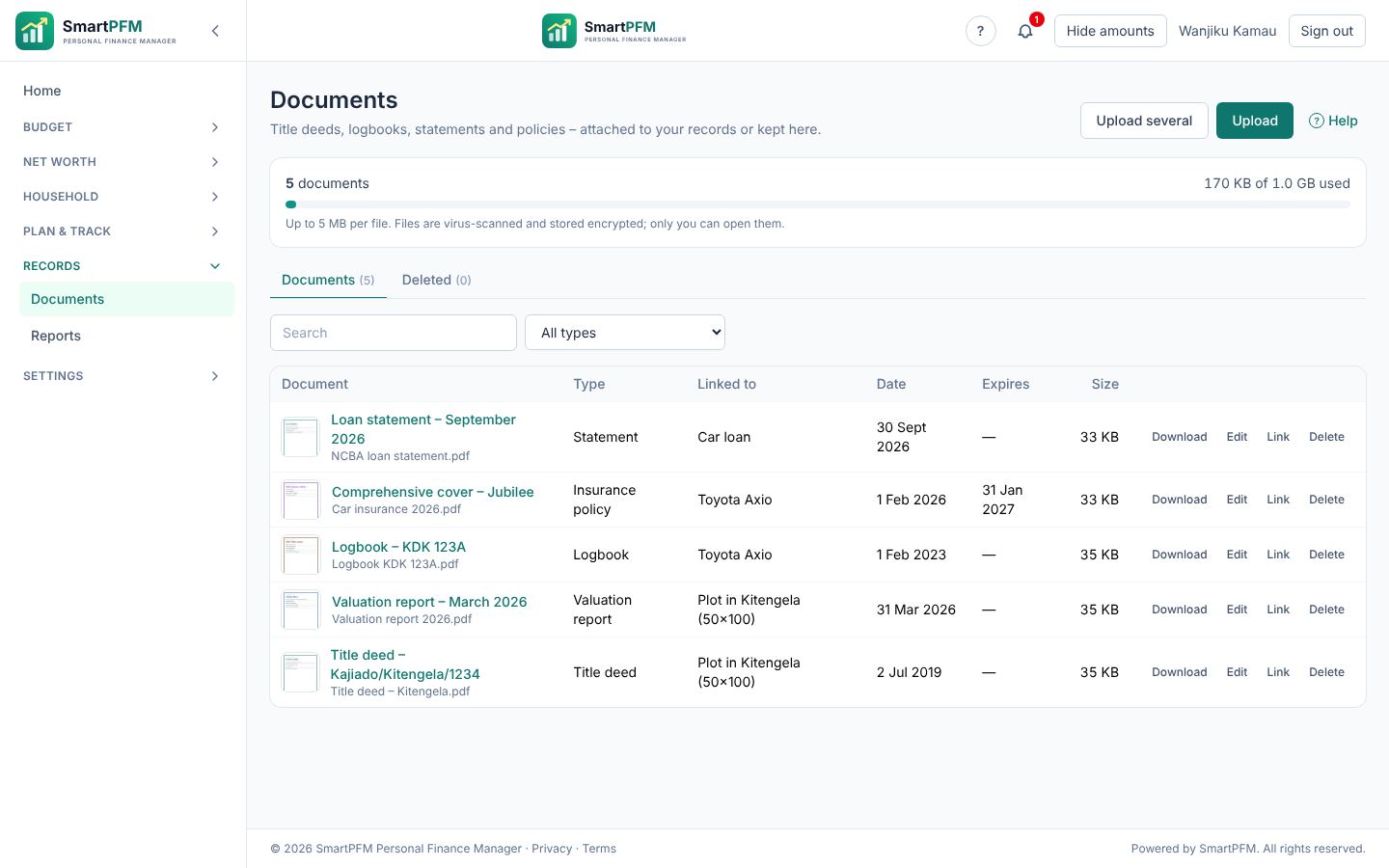
Upload title deeds, valuation reports, logbooks, share certificates, insurance policies, loan statements and receipts, and attach them to the asset or loan they belong to. Each file is virus-checked and encrypted with its own key; expiry dates trigger reminders.
Every list shows a small preview – the photo, or the first page of a PDF – so you spot the right title deed at a glance.
One document can sit on several records – the sale agreement on the plot and on the loan that paid for it, an invoice on its budget item and payment – stored once. Upload a whole folder of papers in one go and sort them later.
Paperwork in a click
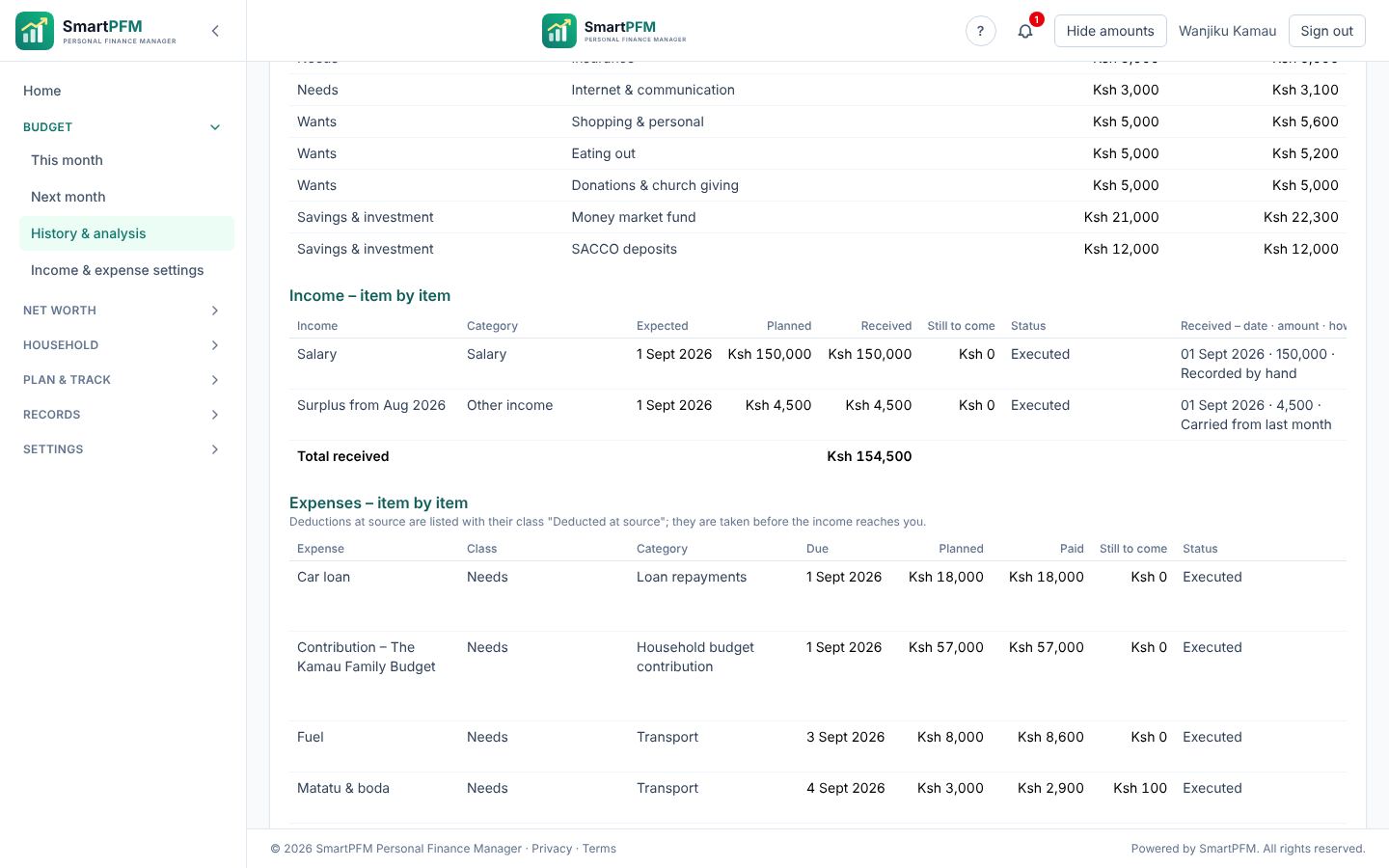
- Monthly budget statement – summary, income and expenses item by item, where each income went, deferrals and notes.
- Statement of net worth, asset and liability registers, and history.
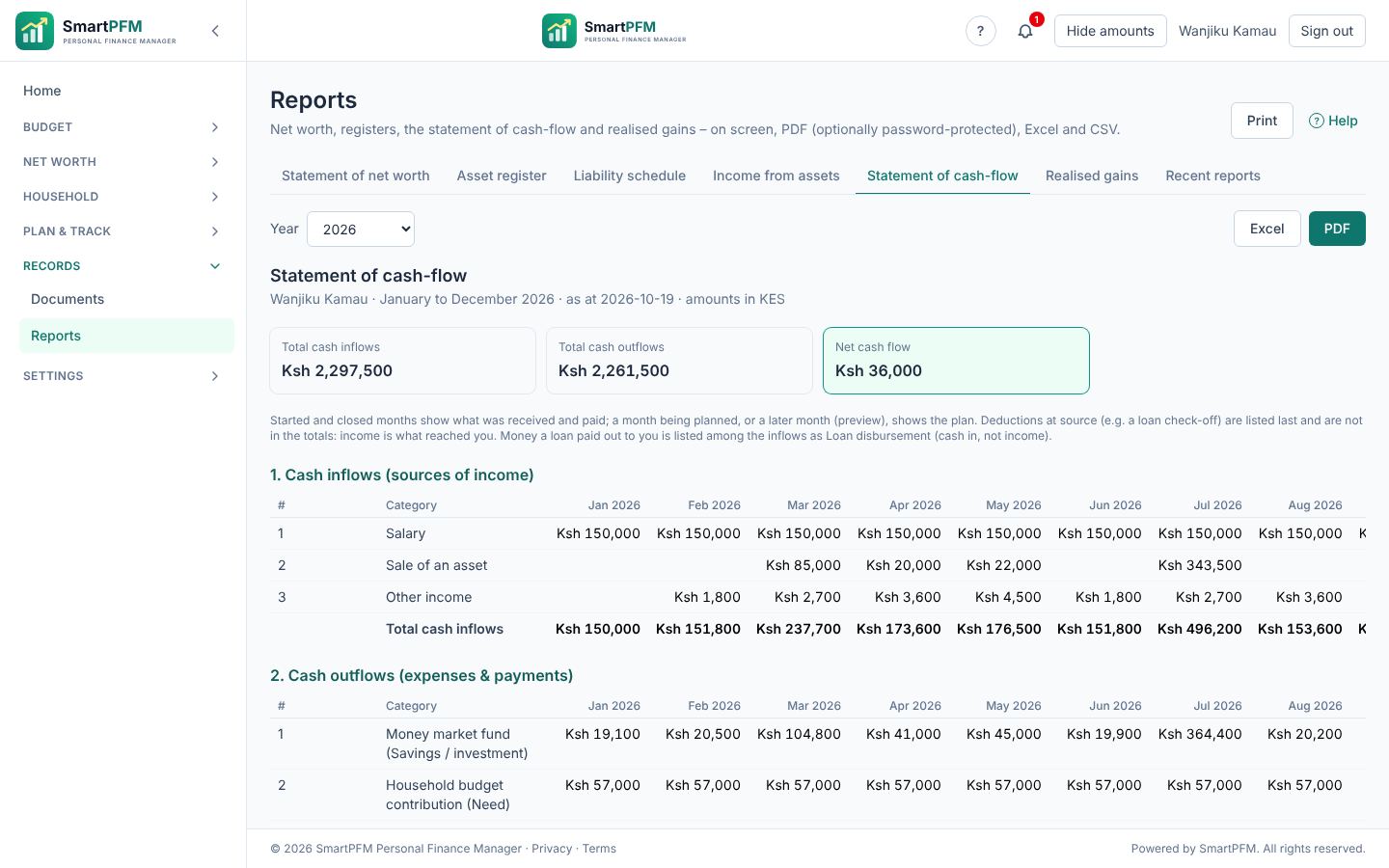
- Statement of cash-flow – money in and out by category, month by month for the year, with net cash flow and each month's surplus or deficit.
- On screen, as PDF or as Excel, and a full export of your data at any time.
- Where each account is held – Stima Sacco · Member number ••••5210 – on the asset register and the liability schedule, masked; tick Hide account numbers when the report is for someone else.
- Recent reports: a big report is prepared in the background, and every PDF or Excel file you made stays ready to download again for 24 hours.
Statement of cash-flow
Money in and out by category for every month of the year – actuals for months gone, the plan for the month being planned and the preview for the rest – with net cash flow, surplus or deficit and each month's budget status. Deductions at source, like a loan check-off, are listed separately: income is what reached you.
On screen, as PDF, or as one Excel sheet laid out like an accountant's template.
An app without the app store
SmartPFM installs from the browser on Android and iPhone and opens full-screen like any app. Use it on your phone in the matatu and on your laptop at home – it's the same account.
- Light on data: the app itself is kept on the phone; only your figures travel.
- Nothing financial is stored on the device.
- Updates arrive by themselves.
Locked down by design
- Two-step sign-in with an authenticator app, and Sign out everywhere if a phone goes missing.
- Auto-lock after a few minutes, and Hide amounts with one tap.
- "Keep me signed in" for 30 days on your own phone only.
- Staff see counts, never your figures – read more.
- Our emails carry the SmartPFM logo and never ask for your password, PIN or a payment link.

So your family is never left guessing
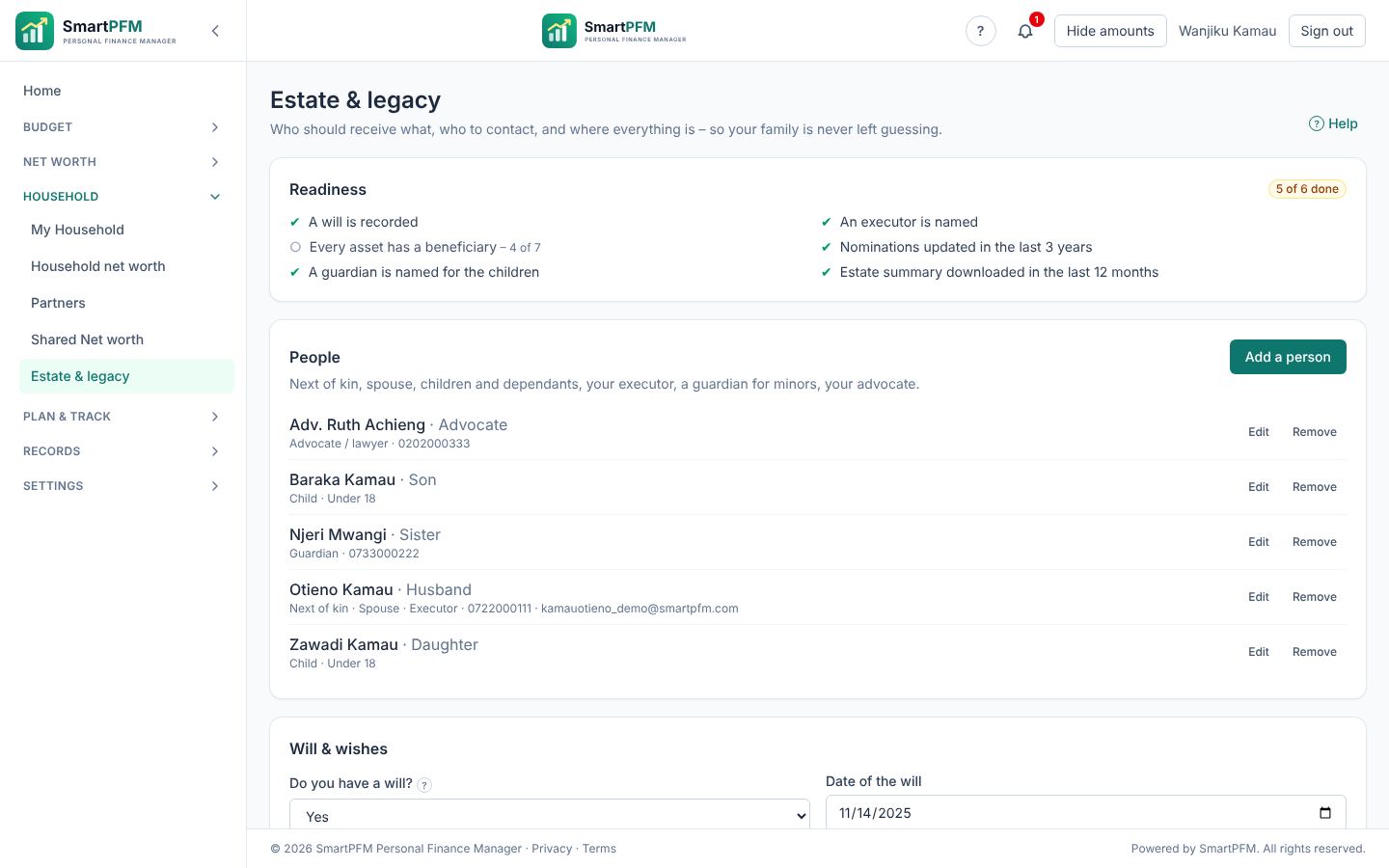
In too many Kenyan families nobody knows what the deceased owned or owed, which SACCO or pension nominations exist, or where the title deed is. Household → Estate & legacy keeps it in one place.
- The people: next of kin, spouse, children, your executor, a guardian for minors and your advocate – with their contacts.
- Who receives each asset, and whether it is by your will or nominated with the SACCO, pension, insurer or fund – with a reminder when a nomination is more than 3 years old.
- Where the originals are: the will, the title deed, the logbook, the loan agreement – and whether a loan is cleared by insurance on death.
- A readiness checklist and an estate summary (PDF or Excel) for your family or executor.
A letter of wishes is not a will. SmartPFM helps you organise; see an advocate for a valid will.
One family picture. Two private accounts.
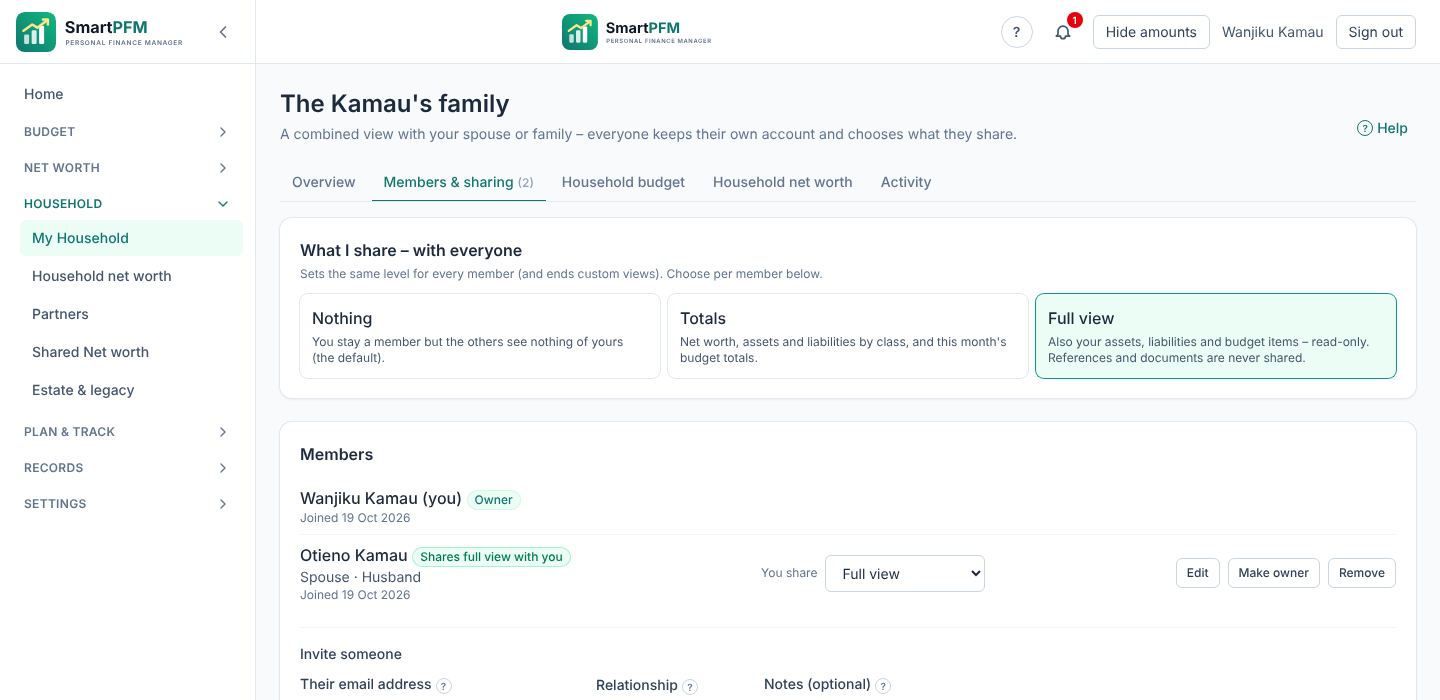
Invite your spouse or family to a household – with their relationship (Spouse, Child, Parent …) and a note. Each member keeps their own account, sign-in and records, and chooses what the others see:
- Nothing (the default) – stay a member and share when you are ready.
- Totals – net worth, assets and liabilities, and this month's budget totals.
- Full view – also the assets, loans and budget items, read-only. Account numbers and documents are never shared.
- Custom view (Premium) – just the budget items, assets and loans you tick, with the totals you choose, to one member for up to 30 days.
The members' assets, liabilities and net worth, what the household owns as itself (Premium), and all of it together – with each member side by side, in your own base currency. Your own card lists everything of yours: every budget item of the month you pick (in progress or being planned), your assets and liabilities, and all the totals. The other members' cards look the same, with their relationship (Spouse, Child …) and only what they share with you.
Each member chooses per person: a full view for your spouse, totals for a grown-up child – your budget and your net worth are shared only as far as you choose.
The household net worth counts the family home once: if you both recorded it at 100 %, SmartPFM says Possibly counted twice. Every member sees who looked at their figures, and anyone can leave at any time.
The household's own net worth (Premium). Some things belong to the household itself – the family home, a joint money market fund, a shared car, a household loan. Start Household → Household net worth and keep them in one place: the owner and planners add and change items, every member can add a valuation, and the history says who did what. The household budget can pay into, buy and sell these items, and you can move one of your own items in (and back). It never mixes with anyone's own net worth.
Owned with others. A plot with your brother, a car with a friend, a loan you carry half of: set your share (say 60 %) and, in Household → Shared Net worth, say who owns the rest – a household member, or a partner (Premium: up to 5 people who need no SmartPFM account). Your totals still count only your share. You can invite a co-owner: they see only the item's name, its category and their share – never an amount. With a SmartPFM account they can add it to their own net worth or merge it with one they have, and a newer value is offered to the other side, never forced.
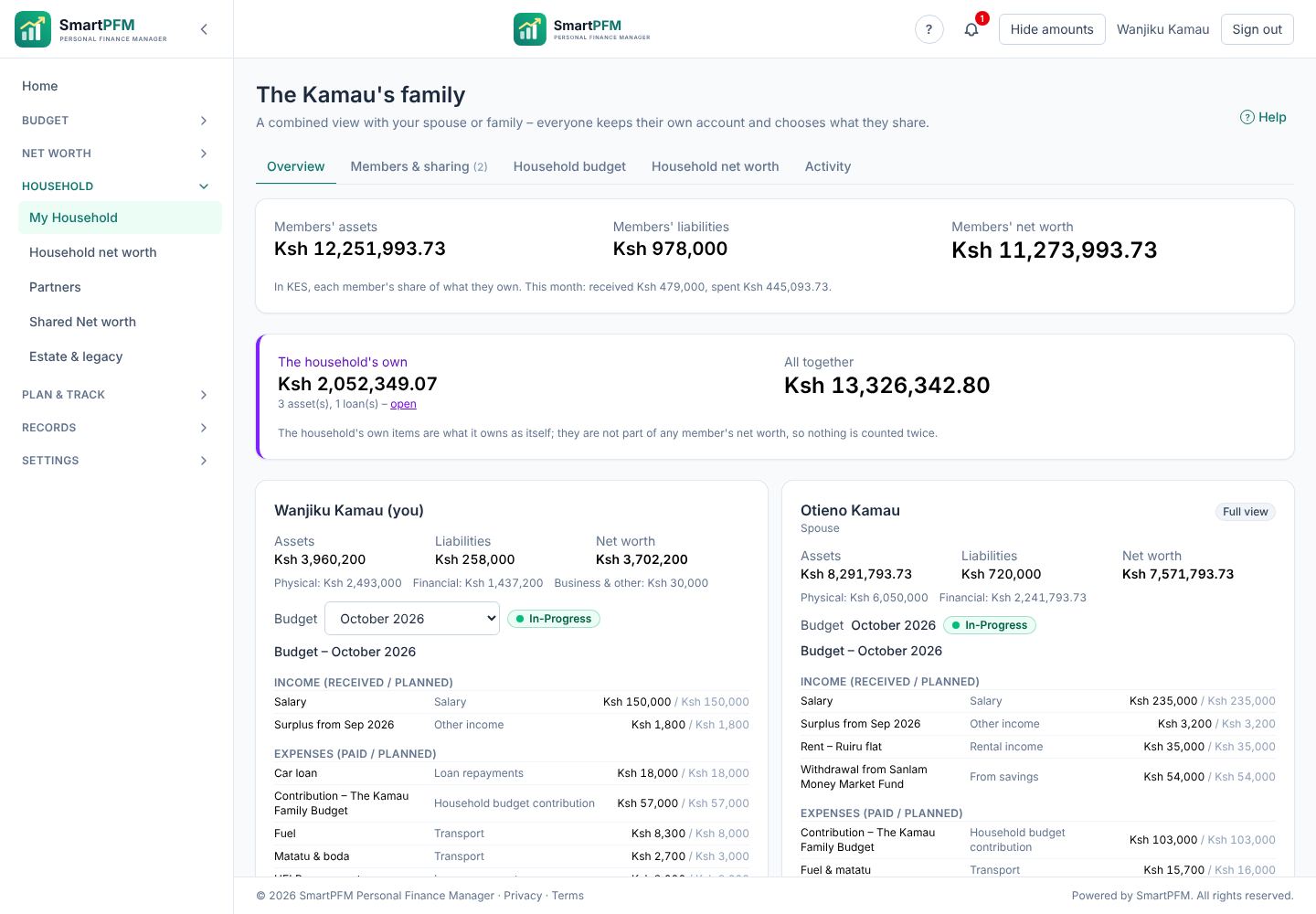
You decide what each member sees
Set one level for everyone, or choose per person from Household → My Household → Members & sharing: a full view for your spouse, totals for a grown-up child, nothing for the rest. Anyone can change it, or leave, at any time.
A joint household budget (Premium)
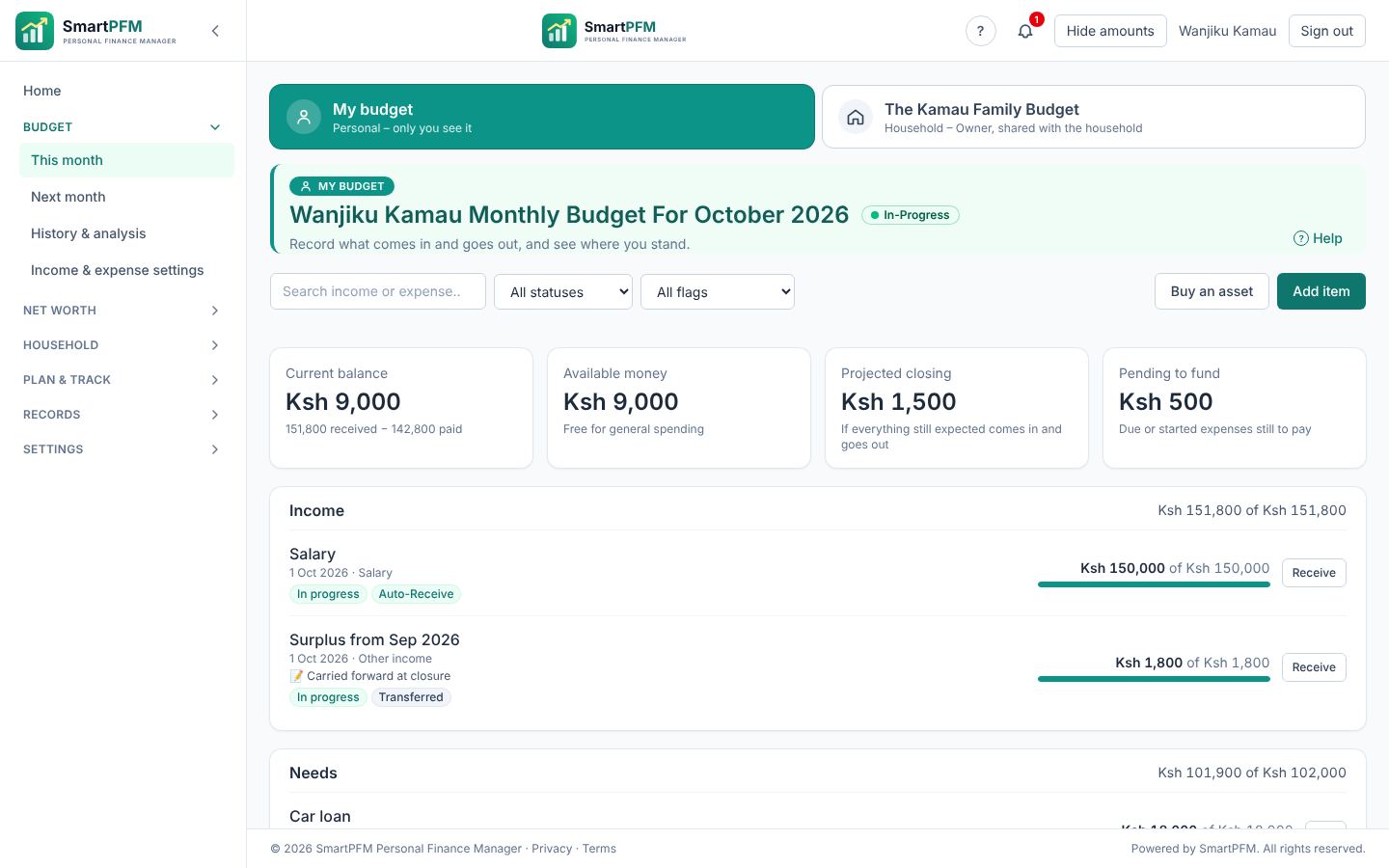
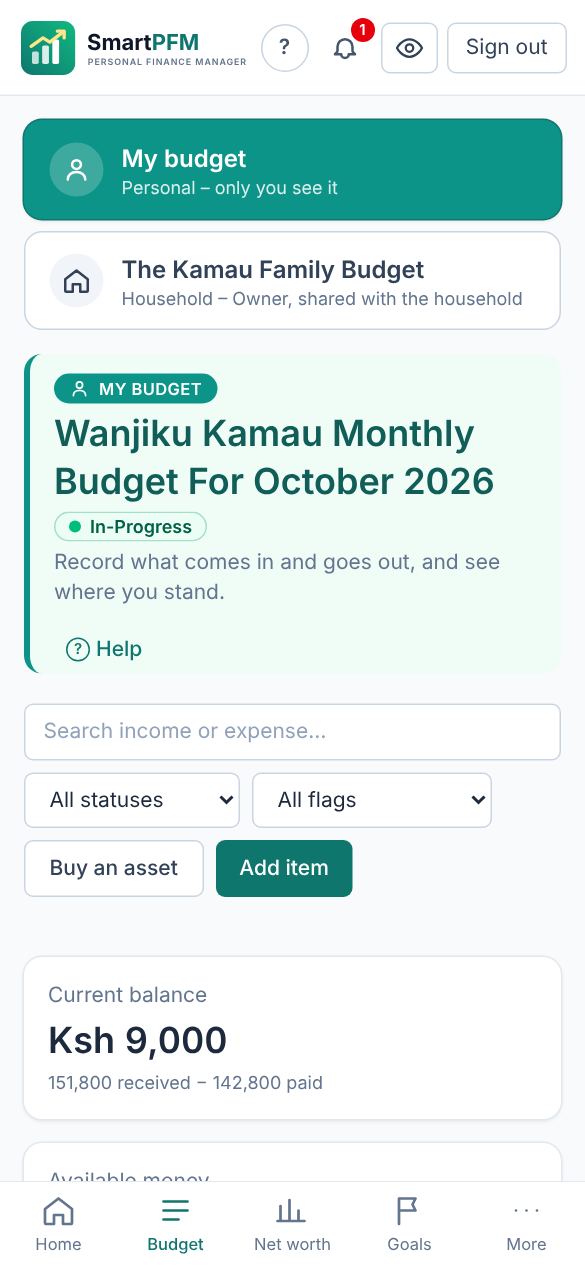
One more budget for what you pay for together – rent, food, school fees, the househelp – planned and recorded by the household, while each member's own budget stays private. Switch between My budget and The Kamau Family Budget at the top of every Budget page.
- Roles: the owner, planners (settings and the plan) and members (record what they pay or receive). Every payment shows who recorded it.
- Contributions: each member adds their own on the Household page – with notes such as the joint account it goes to. It is an expense in their own budget and income in the household's: record it once, it is in both. Paid a household bill from your own pocket? Record it once too.
- Who has paid what each month, bills assigned to a member, and reminders to the member who looks after each bill.
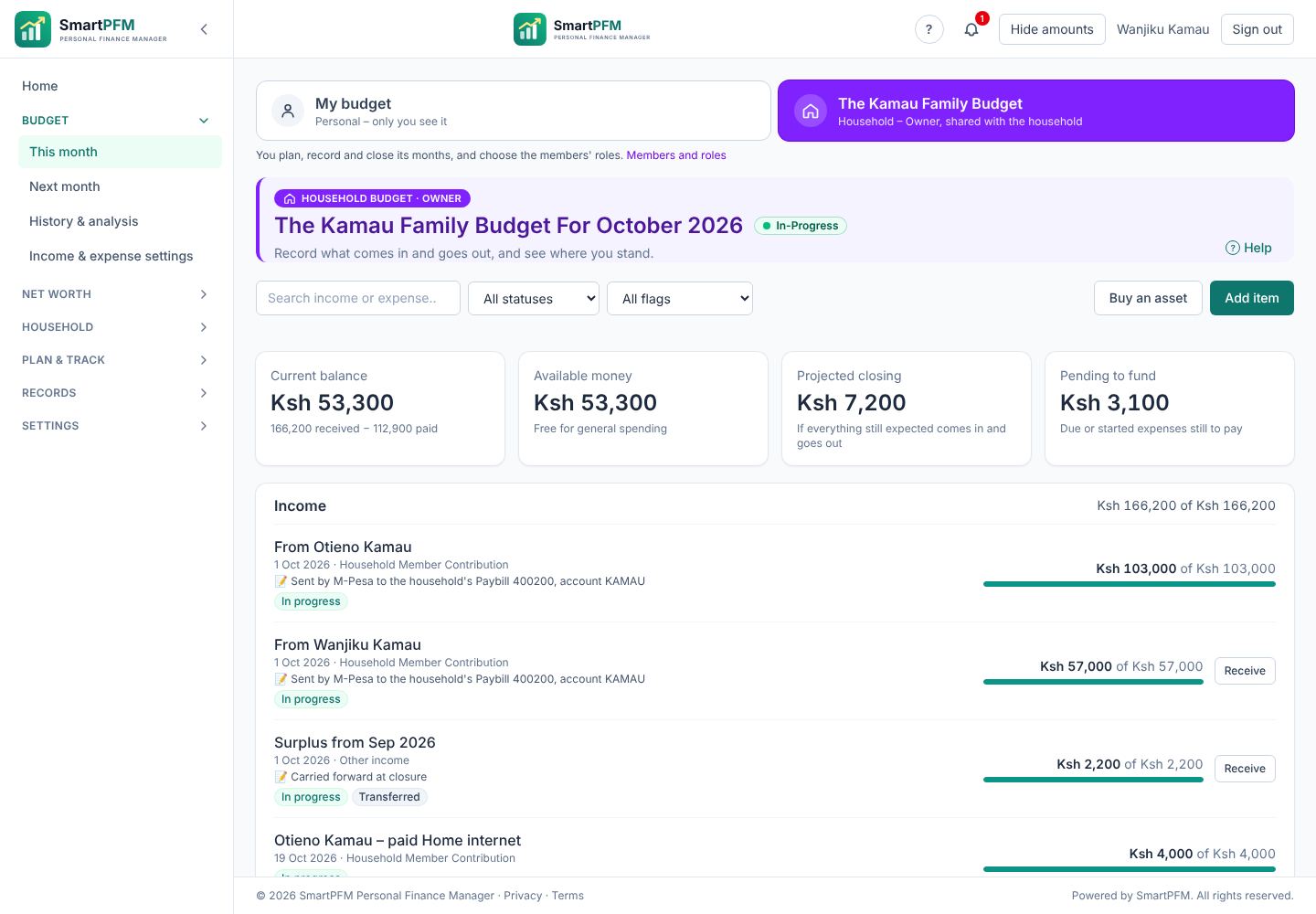
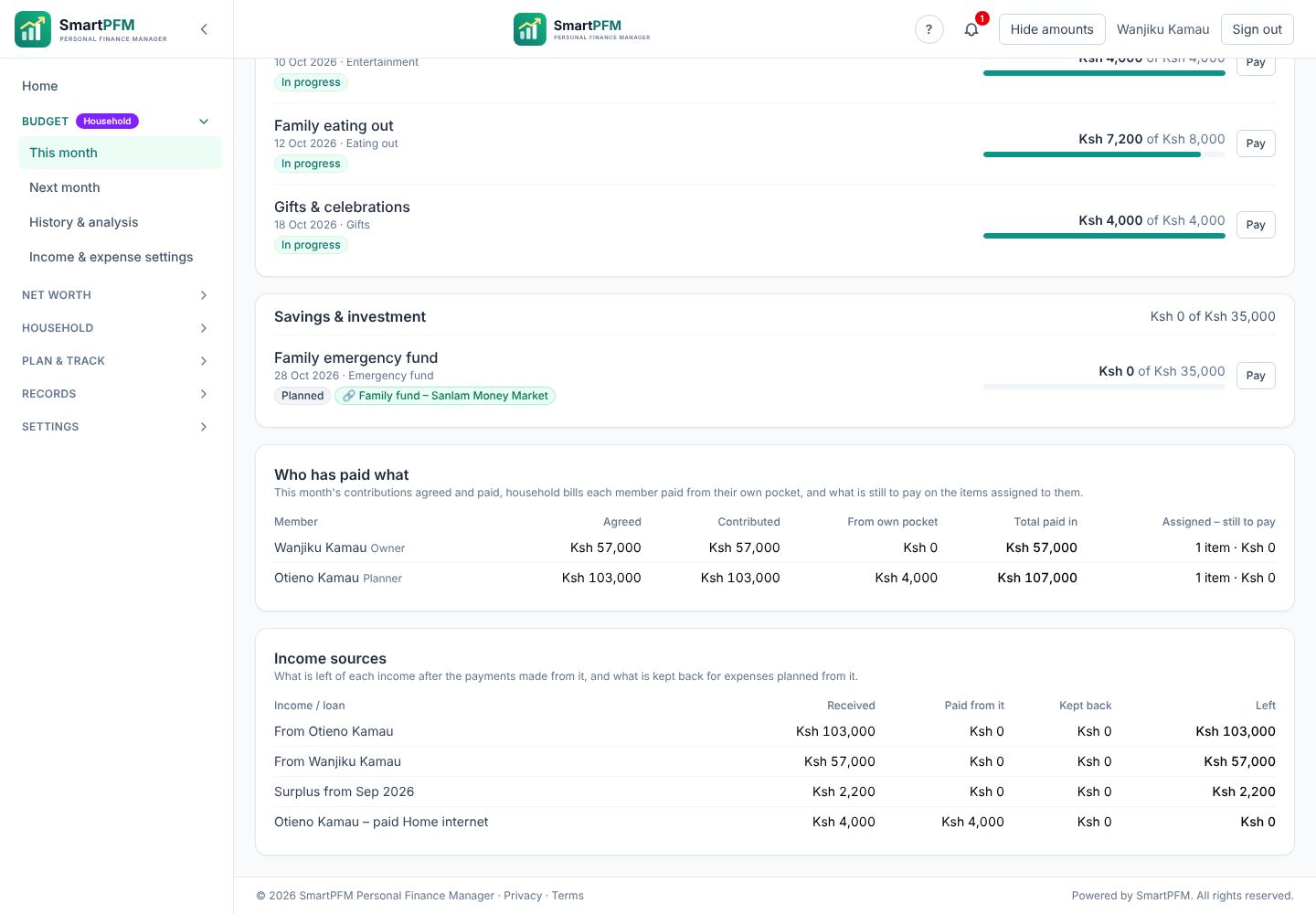
Who has paid what
Each member's contribution agreed and paid this month, the household bills they paid from their own pocket, and what is still to pay on the bills assigned to them – no more "did you pay the househelp?".